Search for Files by Keyword
The file list area is located in the upper center of the main interface. You can search by keyword using the full path, which includes both the filename and the folder name. Note that content-based search is not supported.
tip
The file type extensions that can be searched are configured in File Recognition Rules.
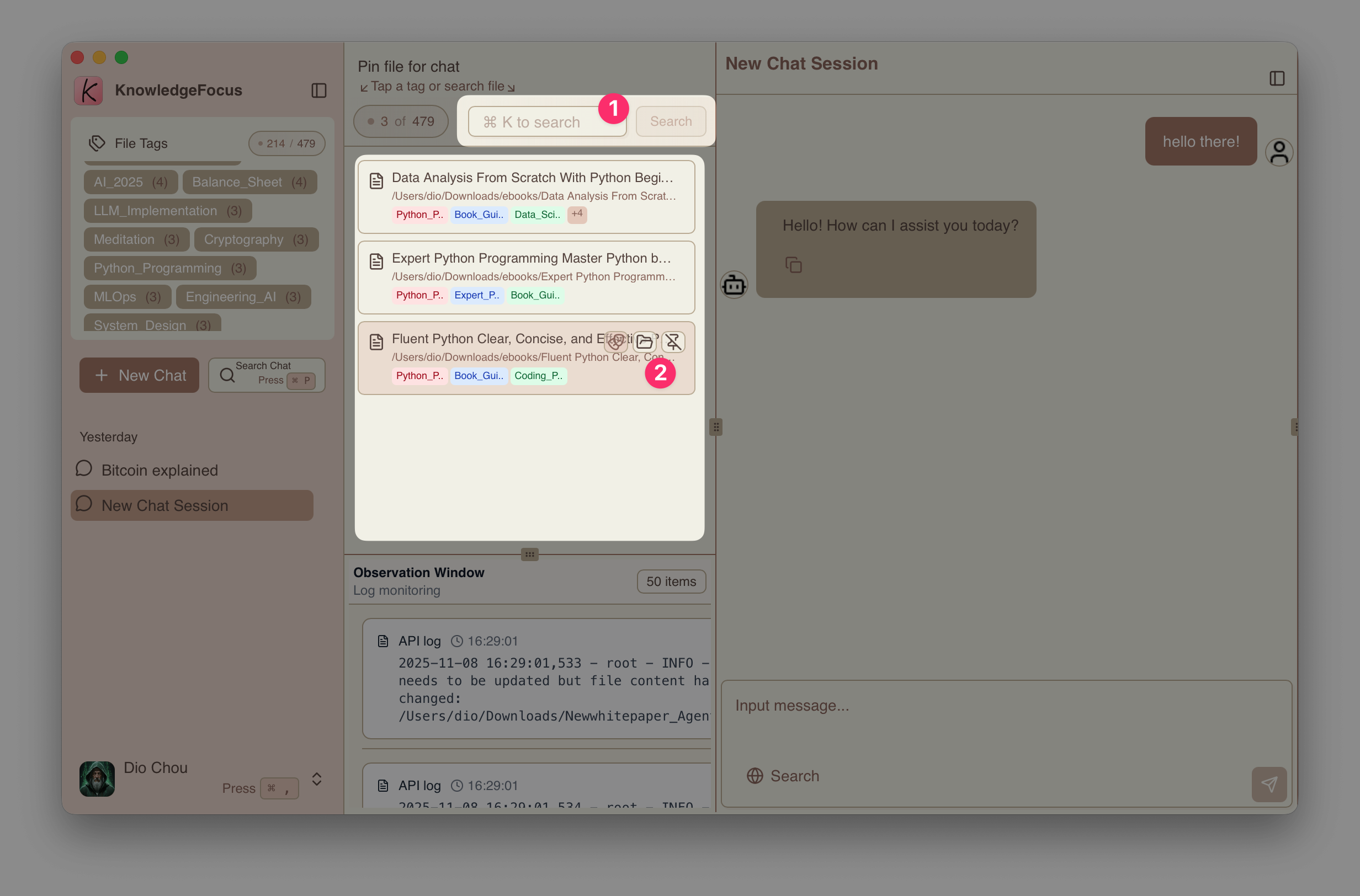
- Press
Cmd+Kto quickly focus the search bar, enter a path keyword, and press Enter to search. - When files appear in the list, you can directly open Finder to locate the file.
File List Context Menu
The file list provides different context menus for different file types:
-
Image Q&A, supporting
["png", "jpg", "jpeg", "gif", "webp"]formats -
Pin File, supporting
['pdf', 'docx', 'pptx', 'txt', 'md', 'markdown']document formats
The pin operation associates the file with the current conversation/session and begins analyzing the file content to build a knowledge index. See Multimodal Retrieval for details.
- Co-reading Mode, currently available only for PDFs. See Co-reading Mode for details.