Chat with Your Files
Linking Files to Chat Sessions
1. Pin Files (Multimodal Vectorization)
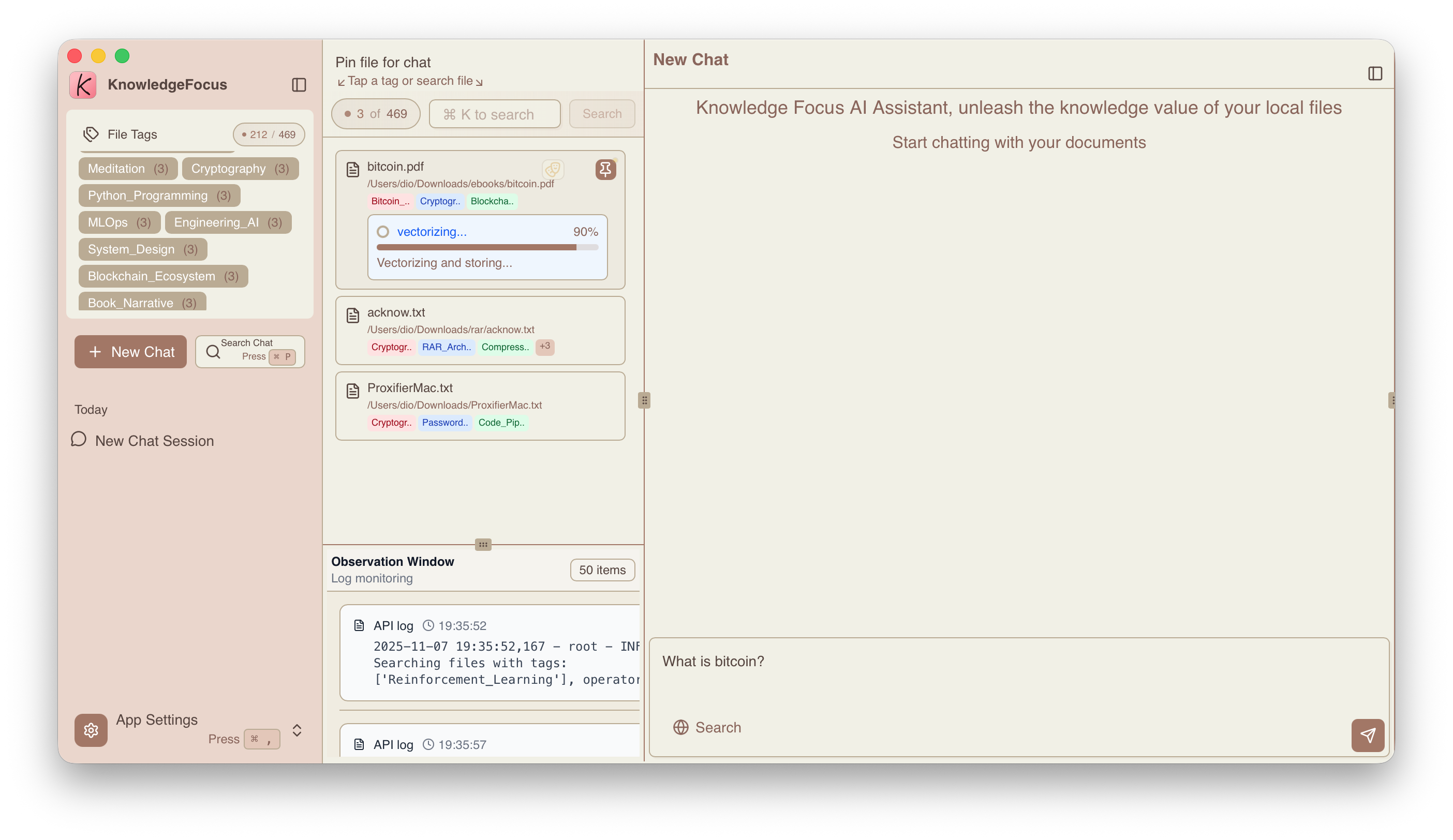
"Pinning" a file links it to a specific conversation session. This process initiates multimodal vectorization of the file content, extracting text, images, and tables from knowledge files into independent knowledge fragments, then building a knowledge index for on-demand retrieval during conversations.
2. Multimodal Retrieval and Answer Synthesis
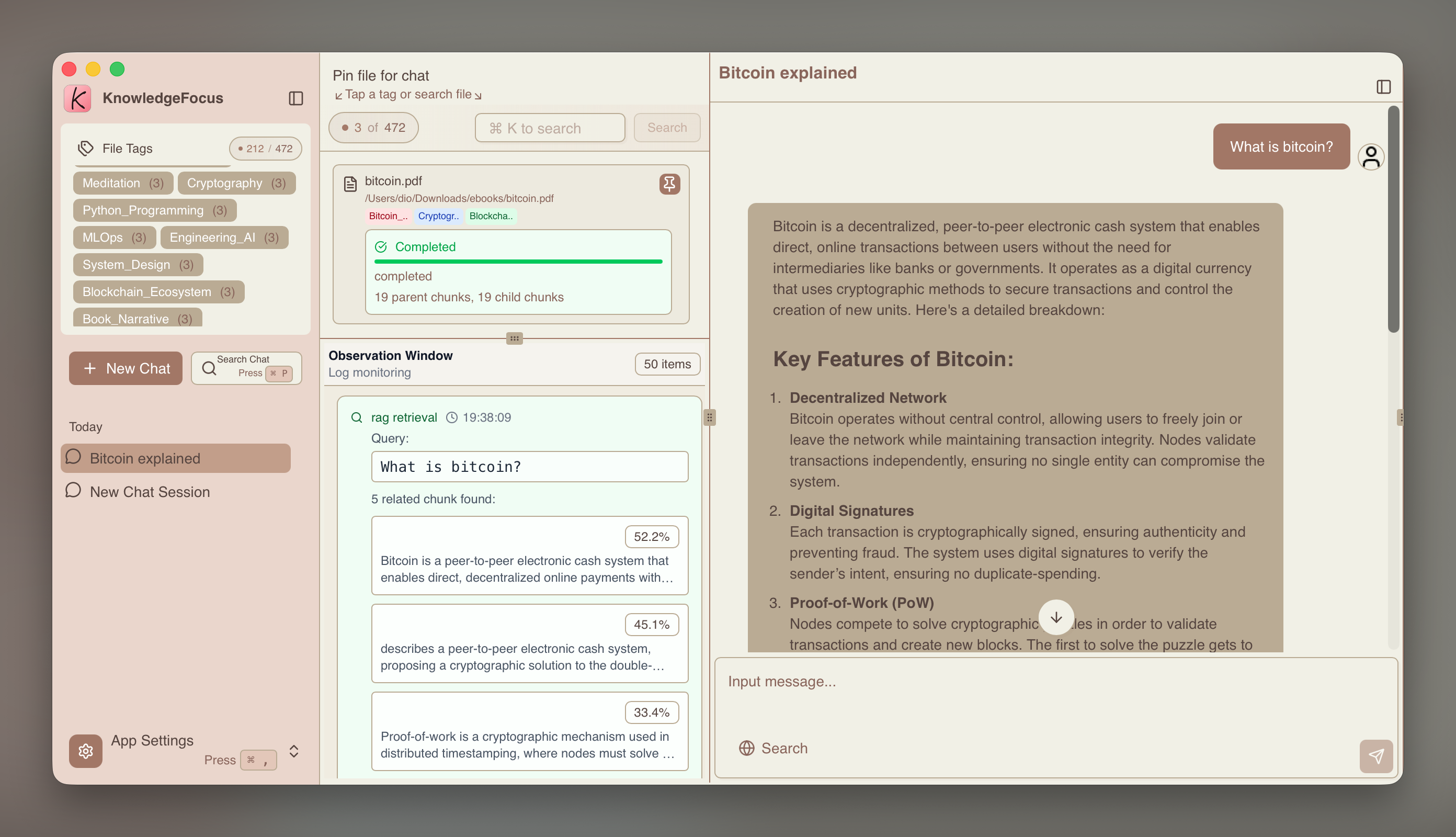
Multimodal retrieval enables you to find semantically relevant text fragments, image descriptions, and table descriptions, and locate their original contexts—the original text passages, images, and tables. This technology maximizes the retrieval of the most relevant knowledge from your entire knowledge base.
Based on the retrieved knowledge fragments, the system provides them to either a local all-in-one model (primarily with vision capabilities) or a commercial model API. Combined with external data tools such as search engines, it synthesizes high-quality, nearly hallucination-free responses.
3. Removing Sensitive Information from Knowledge Fragments (todo)
Before each submission to a commercial model API, the local model desensitizes knowledge fragments according to the configuration item - data preprocessing strategy, fully protecting data privacy while leveraging the power of commercial model APIs.
- The data observation window is located in the lower center of the main interface, showing the recall status of knowledge fragments.
- Manual confirmation and review of desensitization results are required before each submission.
4. Using Tools
Searching the internet before synthesizing answers can significantly improve response quality and reduce hallucinations.
The conversation input area can optionally be configured with the Tavily search tool. Register on its official website and apply for an API key to configure it.
5. "AI Co-reads PDFs with You"
You can chat with AI while reading PDFs for a unique, companion-style reading experience. See Co-reading Mode for details.