Co-reading Mode (alpha)
Co-reading mode currently only supports PDF files, opened using the system's pre-installed Preview.app.
Co-reading mode provides a deeper "conversation with the same file" experience. After activating co-reading mode, the window splits into left and right panels, with the PDF reader on the right. Whenever you ask the AI a question, it first captures a screenshot of the current PDF reader interface, sharing your view. This ensures that even images and tables are included in context, helping the AI synthesize better answers.
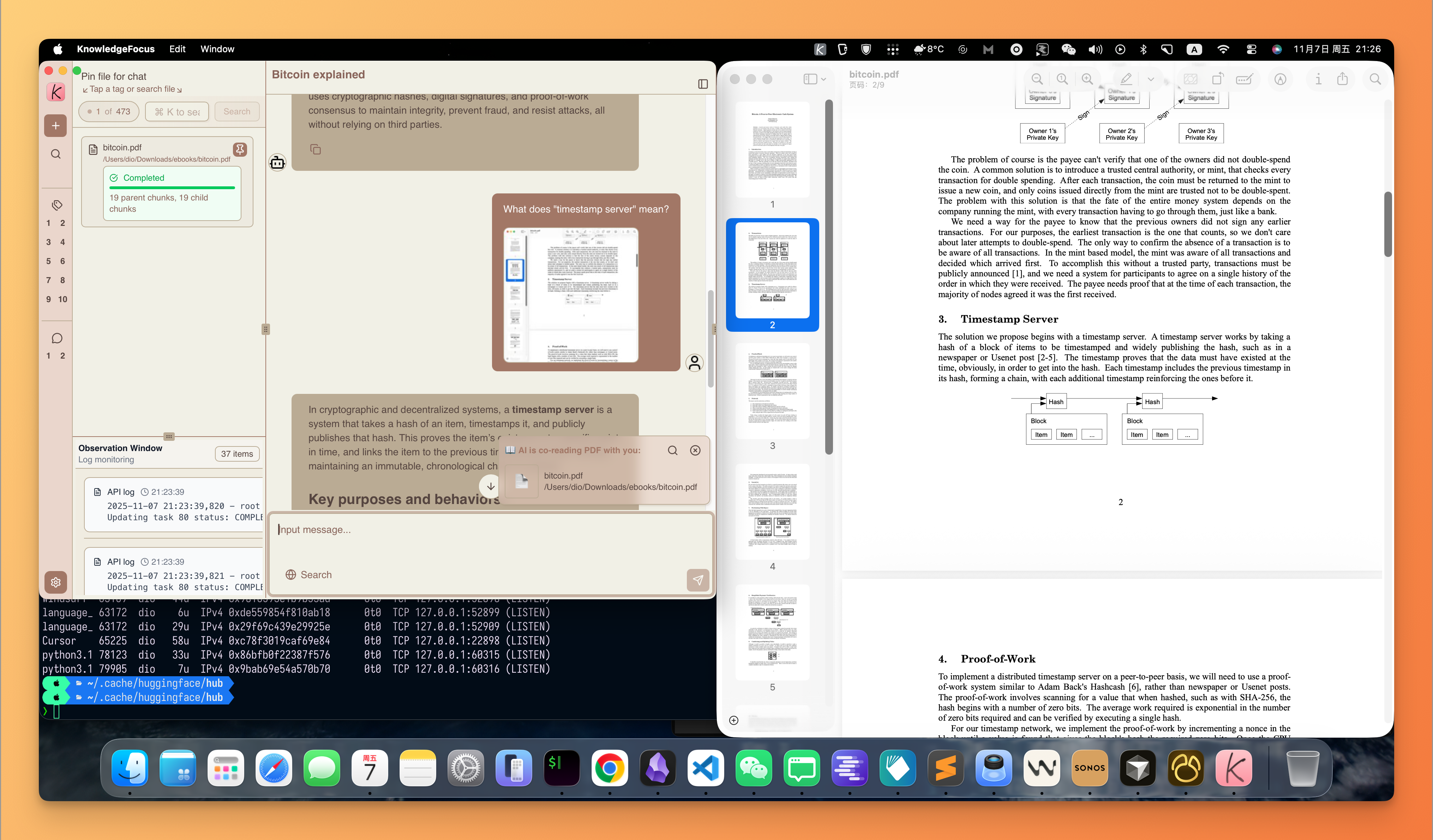
-
After entering co-reading mode, the system continuously monitors the PDF reader window. If it's obscured or minimized, appropriate handling logic ensures a smooth co-reading experience.
-
If the PDF reader window is minimized during the mode, a prompt appears reminding you whether to exit co-reading mode.
-
If the PDF reader window is obscured by other windows during the mode, those windows are automatically brought to the front when taking screenshots for Q&A.
Sharing your reading progress and view requires "Screen Recording" permission.